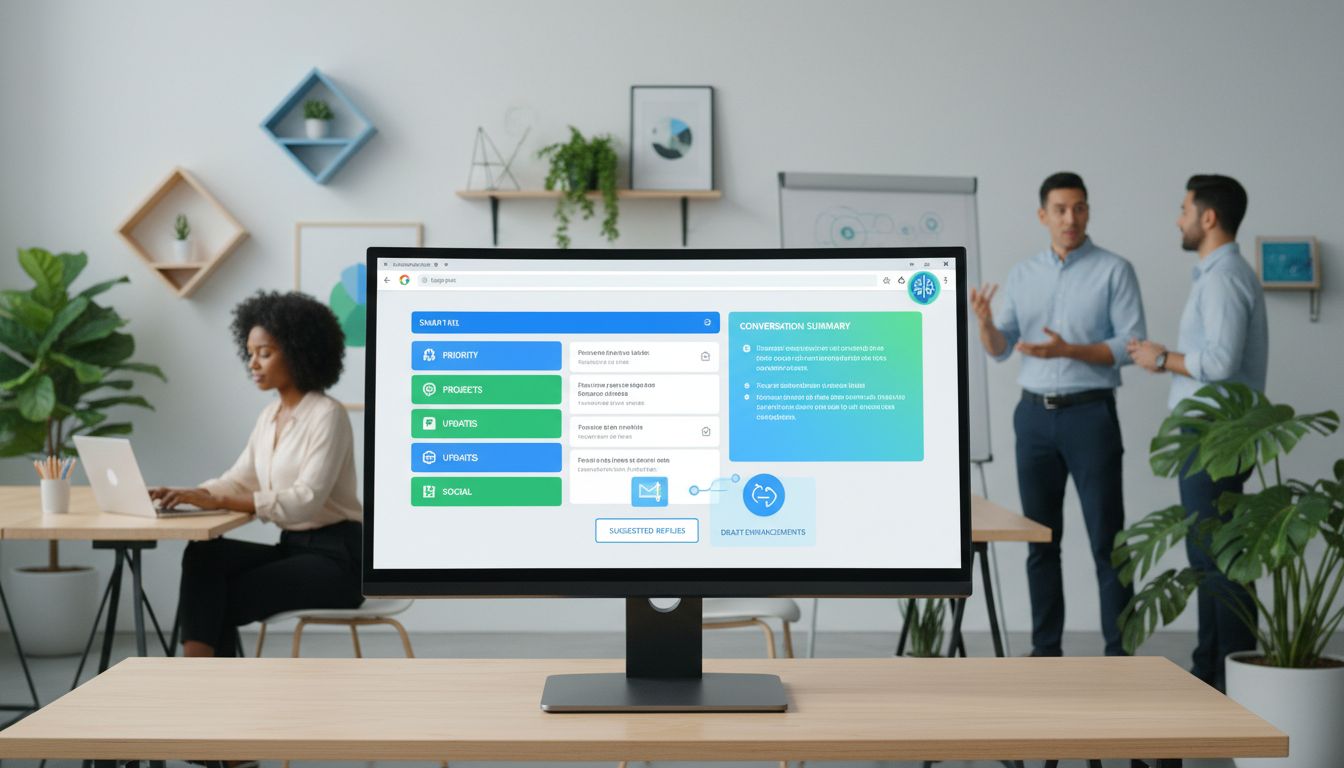
The tech giant is pushing for deeper AI adoption in everyday routines through a fresh batch of Gemini-driven Gmail enhancements designed to streamline email management.
These latest additions encompass automated conversation summaries, a reimagined smart inbox interface, and assisted composition capabilities. Though potentially beneficial, these developments represent yet another instance of artificial intelligence expanding into more corners of our daily lives.
Blake Barnes, who serves as Gmail’s Product Vice President, explained the rationale in a company blog entry:
“Email traffic has reached unprecedented levels, making inbox organization and information management just as critical as the messages you receive. That’s why we’re ushering Gmail into a new chapter with Gemini, transforming it into a proactive personal assistant for your correspondence.”
This initiative isn’t unique to Google.
The technology sector is systematically weaving AI capabilities into established digital tools and services.
Microsoft has been quietly embedding Copilot throughout its Office applications and computer systems.
Amazon encourages shoppers to engage with its Rufus shopping aide and recently enhanced Alexa with advanced AI functions.
OpenAI has forged partnerships spanning diverse platforms, from creative software like Photoshop and music streaming services like Spotify to retailers including Target and grocery delivery service Instacart.
Table Of Contents:
- Why Google AI Gmail Exists Now
- What Is Google AI Gmail Actually Changing?
- Real Life Use Cases for Google AI Gmail
- Expanded Media and Ecosystem Features
- How Private Is All of This?
- Getting Started With Google AI Gmail Features
- Conclusion
Why Google AI Gmail Exists Now
Most of us are drowning in email, from work messages to family plans and random logins. It all piles up until you have thousands of unread messages sitting there judging you.
Google knows this, and they are racing to make artificial intelligence tools part of your everyday habits, starting with Gmail.
The push is not happening in a vacuum. You see the same thing with new features teased for phones and built straight into Chromebooks. Companies like Facebook are all rushing to integrate generative AI. Google is actively wiring Gemini into the apps you use all day.
Sundar Pichai has emphasized that AI is about helpfulness at scale. With over a billion users relying on Gmail, even small product updates have a massive global impact. Email is simply one of the biggest places where that shift shows up first.
If you feel like every big tech brand is shoving AI into your life, you are not imagining it. Gmail just happens to be one of the spots where the change can actually make your day smoother. This aligns with company news suggesting a future where our devices anticipate our needs.
What Is Google AI Gmail Actually Changing?
Under the branding, the new Google AI Gmail update really comes down to four main upgrades:
- You get summaries of long email threads.
- You get question-suggested searches pulled from your own inbox.
- You get way stronger writing help.
- You get an AI inbox that turns messages into to-do style cards.
Some of these are free for standard accounts. Others are part of paid Google Workspace plans or for Ultra subscribers.
All of them aim at one big goal: to spend less mental energy on email and more on the stuff that actually matters to you.
It integrates deeply with Google Cloud technology to process data quickly.
Let’s look at the specific features.
AI Summaries of Long Email Threads
Think about the last group email that ran to dozens of replies. Somewhere inside is the date that changed three times, the latest attachment, and a decision your boss mentioned late at night. The summary feature gives you the main content in a few lines instead of making you scroll through every single message.
Now, when you open a busy thread, you see a short recap of key points at the top. Google calls this a concise summary of the conversation. It functions similarly to AI overviews in Google Search but is tuned specifically for your private communications.
Instead of burning 10 minutes on every big thread, you skim one block of text. You decide if you need to reply and move on. It handles the heavy lifting of summarizing long exchanges so you do not have to.
Search Your Inbox With Real Questions
This one feels closer to science fiction the first time you try it.
If you pay for Gemini Pro or Ultra, Google AI Gmail lets you type actual questions. You can search freely without relying on exact keywords.
You might ask, “Who was the plumber who gave me a quote for the bathroom renovation last year?”
Behind the scenes, Gemini runs through your entire Gmail history. It tries to pull the exact message or detail you need.
You do not have to remember the subject line, sender, or date. You only have to remember that the email exists. It works a lot like having a personal search engine for your own life, answering question prompts instantly.
There are real-life wins here, like finding a flight credit buried in old receipts. You can track down a doctor referral you swore you would save. This goes beyond standard suggested searches to find specific data points.
Write Smarter Replies
We have had Smart Compose and basic Smart Reply for years. You know, the little buttons that say “sounds good” or “thank you” at the bottom of an email. Those felt useful but often robotic.
The new Help Me Write features push much harder into real writing help. You can now paste a rough draft and hit Help Me Write. Gemini will punch it up, shorten it, make it more formal, or make it more casual.
You can type a short prompt like “reply to client with an apology and a revised timeline.” You then watch a full draft appear that you can tweak. This capability allows for one-click responses that feel personal rather than generic.
Suggested replies also got an upgrade. The system pays more attention to your past writing style. This means smart replies start to sound less canned and more like you.
For people on paid plans, a proofreading tool layers in spelling, grammar, and tone suggestions. It helps polish your drafts even more. This is great for handling complex projects where communication must be clear.
The Big Shift: AI Inbox as a Daily Briefing
This is the part that will feel the strangest at first. Instead of loading straight into a reverse chronological list, the AI Inbox mode acts as a command center. You see cards with things you probably should act on next.
Think of reminders to pay a bill or schedule a dentist appointment. It helps plan trips by grouping travel confirmations together. Google says it ranks what matters most based on who you write to and your relationships.
On top of those tasks, you get short briefings for ongoing topics. That might be your kid’s soccer season or a big work project across multiple email threads. Instead of those updates being scattered, AI Inbox tries to gather them in one glanceable view.
Real Life Use Cases for Google AI Gmail
Tools are nice in theory, but the real test is practical application. Do they help you shave hours off your week?
Here are everyday cases where the new Gmail experience pays off.
Busy Parents and Caregivers
If your inbox is a blend of school reminders, sports schedules, and Amazon receipts, the mental overhead is real. With AI summaries, those giant school-wide announcements do not feel so heavy. You see the three things you actually need to do.
AI Inbox briefings can surface upcoming games or school events. You are less likely to miss Spirit Day or Picture Day again. It integrates well with Google Maps data if location details are in the email.
Draft help saves time when you need to write thoughtful notes to teachers. When your brain is fried after work, one-click responses can be a lifesaver. It feels like a quiet assistant catching things you might have missed.
Freelancers and Solo Business Owners
If you run your work out of your inbox, every message could be a lead. The search with questions feature might save you during tax season. You can ask for all paid invoices from last year for a certain client.
Help Me Write makes it faster to send estimates and proposals. You can keep your tone friendly but clear, even if you are not a natural writer. It acts almost like AI agents working for your business.
Meanwhile, AI Inbox can act as your rough CRM. Tasks to follow up on quotes get surfaced as to-dos. You still run your business, but the inbox does more of the tracking.
Employees Who Live in Long Threads
If you work in any company that loves “reply all,” those Gemini summaries will become your favorite feature. Joining a long conversation late is less scary.
You can catch the key decisions at the top. You spend less time wondering if you missed something big.
Add Help Me Write, and it is easier to craft replies that match your team’s tone. This might sound small, but email tone affects work relationships.
Expanded Media and Ecosystem Features
Google is not just stopping at text. The new Gmail is getting better at handling rich media. If you receive newsletters with videos, you often want your favorite video player to work seamlessly.
The update includes better ways to support embedded videos directly within the email body. This means you do not always have to leave your inbox to watch a clip. The goal is to support embedded content more natively.
We are also seeing tighter integration with the broader ecosystem, including Wear OS watches and Google Nest hubs. Imagine getting a summary of an urgent email read out loud by your Nest device while you cook. Or, see a quick smart reply option on your watch.
Even Google Play receipts and subscriptions are parsed better now. The AI can recognize these transaction emails and sort them. This keeps your primary feed clear for personal messages.
How Private Is All of This?
This is the part that often makes people uneasy. AI Inbox and search features are based on reading and processing your messages. That means the tool is learning patterns across what you send and receive.
Google has public documentation on how it handles data and encryption. They have to keep those standards high because Gmail sits inside so many businesses. However, concerns about targeted advertising often come up.
It is worth deciding what you are personally comfortable with before flipping on features. Public policy discussions often center around these privacy trade-offs.
A few smart moves help keep things under control.
Keep very sensitive stuff in password managers. Adjust your Gmail settings so you understand what data is saved. Be thoughtful about which messages you feed into Help Me Write.
| What You Gain | What You Trade Off |
|---|---|
| Faster reading with thread summaries | AI sometimes misses subtle context |
| Search answers from natural questions | Deeper scanning of your inbox history |
| Quicker drafting with Help Me Write | Risk of sounding generic if overused |
| Action-focused AI Inbox briefings | Less control over chronological view |
| More consistent tone with proofreading | Requires a paid Gemini subscription |
| Better handling of embedded videos | More complex interface to manage |
It really comes down to how much you value time savings. For many, email stress makes it worth a try. Creating opportunities for more free time is the ultimate benefit.
Getting Started With Google AI Gmail Features
If you are curious, you do not have to flip every switch at once.
Start small. Turn on one or two features and see if your inbox stress drops.
-
Start by watching for thread summaries on busy conversations. They should appear automatically on longer threads. You will see the benefit with almost no effort.
-
Next time you are stuck on an email draft, open Help Me Write. Ask it to shorten, clarify, or rephrase. It is like having a fast first pass.
-
If you qualify for Gemini Pro, try a search using a full question. That will give you a sense of the tool’s understanding. It is powerful for digging up entire conversation histories.
-
Check your settings for the checkbox label or label configurations. These obscure settings sometimes control how AI categorizes your mail. You want to ensure the checkbox label for smart features is ticked.
-
Keep AI Inbox for last. It is the biggest mindset shift. Give it at least a week to learn what matters to you.
You are still the one in charge here. AI can nudge and sort, but you pick the final action.
Conclusion
Google AI Gmail is not about robots stealing your job. It is about taking the Google AI power that has been building for years and using it to help you solve daily problems.
If you have been hesitant about AI in other apps, email might be the place to test it. Let’s stay open to how these tools evolve. It might just pay you back in hours and sanity.